


You have a brilliant visual concept in your mind. A product shot that captures your brand essence. An illustration that explains complex ideas simply. Marketing visuals that stop scrollers mid-swipe.
But when you type your prompt into an AI image generator, the result looks nothing like your vision. The lighting is wrong. The composition is off. The style doesn’t match your brand.
The gap between imagination and AI output isn’t about the tool’s limitations—it’s about translation. This guide teaches you how to transform abstract visual concepts into precise prompts that deliver exactly what you envision.
Why Most Visual Prompts Fail
The phrase “a professional product photo” means different things to different people. To you, it might mean minimalist Apple-style photography. To someone else, it’s dramatic lighting with rich textures. To AI, without specifics, it’s a guess.
Common prompting mistakes:
- Vague Descriptions: “Make it look professional” without defining professional
- Missing Context: Describing objects without environment, lighting, or mood
- Style Confusion: Mixing incompatible artistic references
- Technical Gaps: Ignoring composition, camera angles, and technical parameters
The result? Hours of regenerating images, hoping to randomly hit the right combination.
The Anatomy of Effective Visual Prompts
Core Components Structure
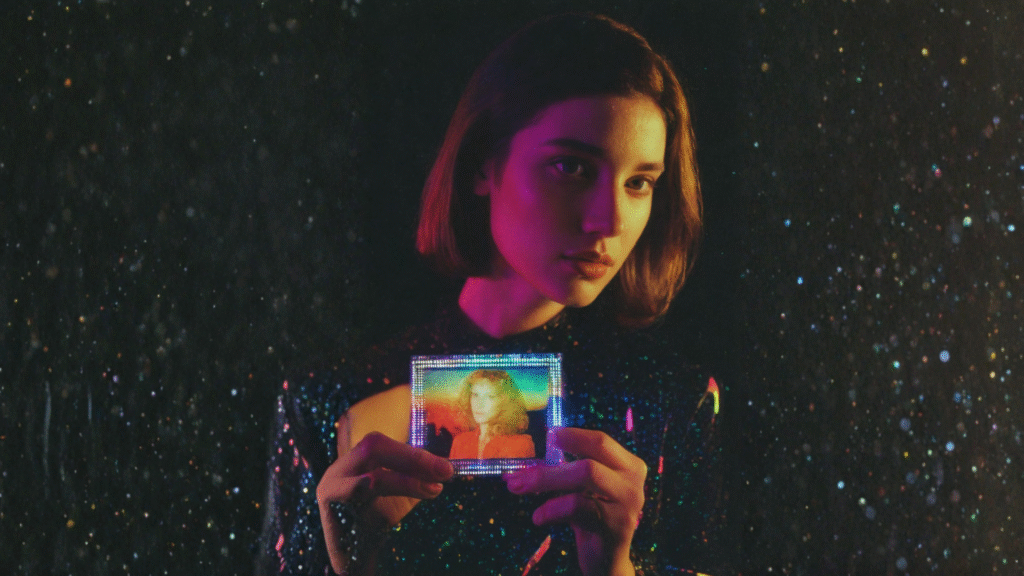
Every effective visual prompt contains five essential elements:
- Subject Definition Start with precise subject description. Instead of “a coffee cup,” specify “a white ceramic espresso cup with subtle rim gilding, filled with dark espresso showing golden crema.”
- Environment and Context Place your subject somewhere specific. “On a weathered oak table in a Scandinavian kitchen with morning light streaming through sheer curtains” beats “on a table.”
- Visual Style and Mood Define the aesthetic clearly. “Shot in the style of Kinfolk magazine photography with muted earth tones and soft, diffused lighting” gives AI clear direction.
- Technical Specifications Include camera and composition details. “Shot with 85mm lens, shallow depth of field, rule of thirds composition, eye-level angle.”
- Quality Modifiers Add output specifications. “High resolution, professional photography, commercial quality, detailed textures.”
Building Your Visual Vocabulary
Develop a rich vocabulary for describing visuals:
Lighting Terms
- Golden hour, blue hour, harsh midday sun
- Rembrandt lighting, butterfly lighting, split lighting
- Backlit, rim lighting, soft diffused light
- Dramatic chiaroscuro, flat even lighting
Composition Techniques
- Rule of thirds, golden ratio, symmetrical balance
- Leading lines, framing, negative space
- Foreground/middle ground/background layers
- Dutch angle, bird’s eye view, worm’s eye view
Style References
- Photographic: Editorial, commercial, documentary, fine art
- Artistic: Impressionist, minimalist, baroque, art nouveau
- Contemporary: Flat design, brutalist, vaporwave, corporate Memphis
Practical Prompting Strategies
The Progressive Refinement Method
Start broad, then narrow:
- Initial Prompt: “Modern office workspace”
- Refined Version: “Minimalist home office with white desk, succulent plant, MacBook Pro, morning sunlight”
- Final Version: “Minimalist Scandinavian home office, white oak desk with clean lines, single potted succulent in geometric concrete planter, closed MacBook Pro positioned at slight angle, soft morning sunlight creating subtle shadows, shot from 45-degree angle above, magazine editorial style photography, muted color palette with touches of green, negative space composition, high resolution, professional interior photography”
The Reference Stack Technique
Combine multiple references effectively:
“Product photography style of Apple meets the warm color grading of Wes Anderson films, with the minimalist composition of Muji catalogs”
This gives AI multiple quality references to blend.
The Exclusion Method
Sometimes telling AI what you don’t want is equally important:
“Corporate headshot, professional lighting, neutral background, warm smile, business casual attire. NOT: harsh shadows, busy background, formal suit, serious expression, low quality, artificial looking”
Advanced Prompting Techniques
Emotional Storytelling
Don’t just describe visuals—convey feelings:
“A cozy reading nook that feels like a warm hug on a rainy Sunday afternoon, with soft blankets, steam rising from tea, and golden lamplight creating a sanctuary from the world”
Technical Precision
For specific needs, get technical:
“F/1.4 aperture bokeh effect, 35mm focal length, ISO 100, 1/250 shutter speed, natural light from north-facing window, color graded with lifted blacks and subtle orange-teal split toning”
Brand Consistency Prompts
Create reusable brand templates:
“[SUBJECT] photographed in our brand style: bright, airy aesthetic with 70% white space, pastel accent colors (#FFE5E5, #E5F3FF), soft drop shadows, slight left tilt composition, optimistic mood, premium but approachable feeling”
Common Scenarios and Solutions
- E-commerce Product Shots “[Product] centered on pure white background, even lighting eliminating all shadows, straight-on angle, high resolution suitable for zoom, commercial product photography style”
- Social Media Graphics “Eye-catching Instagram post, bold typography saying ‘[TEXT]’, vibrant gradient background (purple to pink), modern Memphis design elements, 1:1 square ratio, high contrast for mobile viewing”
- Blog Header Images “Abstract representation of [TOPIC], wide banner format 16:9 ratio, subtle overlay-friendly areas for text, professional but engaging, color palette matching brand guidelines”
Testing and Iteration
Track what works:
- Save successful prompts as templates
- Document which terms produce consistent results
- Note platform-specific quirks
- Build a personal prompt library
Remember: Different AI platforms interpret prompts differently. What works in one might need adjustment in another.
Ready to streamline your visual content creation? Platforms like Qolaba integrate powerful AI image generation with collaborative workflows, allowing teams to save and share successful prompts, maintain brand consistency across all visual content, and iterate quickly with built-in version control. With unified workspace features, your entire team can access the same visual prompting templates and brand guidelines, ensuring consistent, professional results without the trial-and-error frustration.